Building or upgrading a computer can feel like stepping into a complex world of acronyms and specifications. Yet, every PC is fundamentally a collection of core components working in perfect harmony, much like an orchestra. Understanding the role of each part is the key to maximizing performance, ensuring compatibility, and making smart investment decisions.
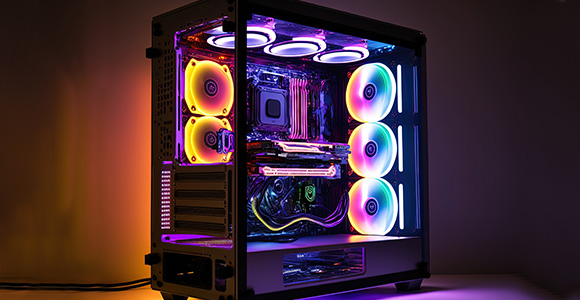
This article breaks down the essential internal components—the heart, brain, backbone, and memory of your machine—to demystify the process and guide you toward building your ideal system.
1. The Central Command: CPU and GPU
These two processors are the heavy hitters, determining the speed and capability of your computer, especially for gaming, content creation, and demanding tasks.
A. Central Processing Unit (CPU) – The Brain
The CPU is responsible for executing instructions from computer programs and managing the overall operation of the system. Its performance is measured by its clock speed (GHz) and the number of cores it possesses.
- Function: Executes instructions, manages data flow, and performs calculations.
- Key Specs to Look For:
- Core Count: More cores improve multitasking and handling of multi-threaded applications (e.g., video editing).
- Clock Speed (GHz): Crucial for single-threaded tasks and gaming performance.
- Socket Type: Must match the motherboard’s socket (e.g., Intel LGA 1700 or AMD AM5).
B. Graphics Processing Unit (GPU) – The Visual Engine
The GPU is a specialized processor dedicated to rendering images, videos, and 3D graphics. For anyone who uses graphically intensive software or plays modern video games, the GPU is often the single most important component.
- Function: Renders graphics, accelerating visual tasks, and handling complex parallel processing.
- Key Specs to Look For:
- VRAM (Video RAM): The GPU’s dedicated memory. More VRAM is essential for high-resolution (4K) and high-texture gaming.
- Processing Power: Measured in the specific chip model (e.g., NVIDIA GeForce RTX or AMD Radeon RX series).
2. The Foundation and Memory: Motherboard and RAM
The other components would be useless without the backbone to connect them and the short-term memory to keep them running smoothly.
A. Motherboard – The Backbone
The motherboard is the main circuit board that connects and allows communication between all other components—CPU, GPU, RAM, and storage drives. It dictates which CPUs and RAM types you can use.
- Function: Acts as the central hub, providing power and communication pathways (buses) between all components.
- Key Specs to Look For:
- CPU Socket: Must match your CPU’s socket.
- Chipset: Determines the features (e.g., number of USB ports, M.2 slots, and PCIe lanes).
- Form Factor: Must fit your PC case (e.g., ATX, Micro-ATX, Mini-ITX).
B. Random Access Memory (RAM) – The Short-Term Memory
RAM is temporary, high-speed storage where your computer holds data and instructions that are currently being used. The more RAM you have, the more applications and processes you can run simultaneously without slowing down.
- Function: Stores active data and programs for the CPU to access quickly.
- Key Specs to Look For:
- Capacity: 16GB is the current standard for modern computing and gaming; 32GB is ideal for demanding professionals.
- Speed (MHz): Faster RAM improves data transfer. Must match the standard supported by the motherboard and CPU (e.g., DDR5).
3. The Crucial Supporting Cast
Two components are often overlooked but are absolutely vital for stability and responsiveness: Storage and the Power Supply.
A. Storage: SSD vs. HDD
Storage permanently holds your operating system, programs, and files.
- SSD (Solid State Drive): The modern standard. Uses flash memory for dramatically faster load times and boot speeds. NVMe M.2 SSDs are the fastest type, connecting directly to the motherboard.
- HDD (Hard Disk Drive): Traditional, mechanical storage. Cheaper and offers more capacity, but is significantly slower. Best used for bulk storage of media and backups.
- Recommendation: Use a fast NVMe SSD for the operating system and major games/applications, and an HDD for secondary, archival storage.
B. Power Supply Unit (PSU) – The Heart
The PSU converts the AC power from your wall outlet into the low-voltage DC power required by your PC components. Never skimp on the PSU. A low-quality PSU can fail and potentially damage your other expensive components.
- Function: Converts and delivers clean, stable electrical power to every component.
- Key Specs to Look For:
- Wattage: Must meet the total power requirements of all components, with a recommended 20-30% buffer for safety and future upgrades.
- Efficiency Rating: Look for an 80 PLUS rating (Bronze, Silver, Gold, Platinum, or Titanium). Gold or Platinum provides the best efficiency, reducing wasted heat and electricity costs.
- Modularity: Fully Modular PSUs allow you to only connect the cables you need, drastically improving cable management and airflow.
The Interconnected Whole: Building for Harmony
Building a successful PC is less about buying the most expensive part and more about achieving balance and compatibility. A powerful GPU will be bottlenecked by a weak CPU, and a top-tier CPU/GPU combo will be compromised by a low-capacity PSU.
By ensuring that your motherboard supports your CPU, your RAM is fast enough, and your PSU is strong enough, you can build a stable, powerful, and efficient computer system that will serve you well for years to come.